Your Kato workspace, one shortcut away
Kato for Raycast brings the work that needs your attention into a fast, focused command layer on your Mac.
The macOS public beta is in Raycast Store review and will be available after approval.
At a glance
Highlights
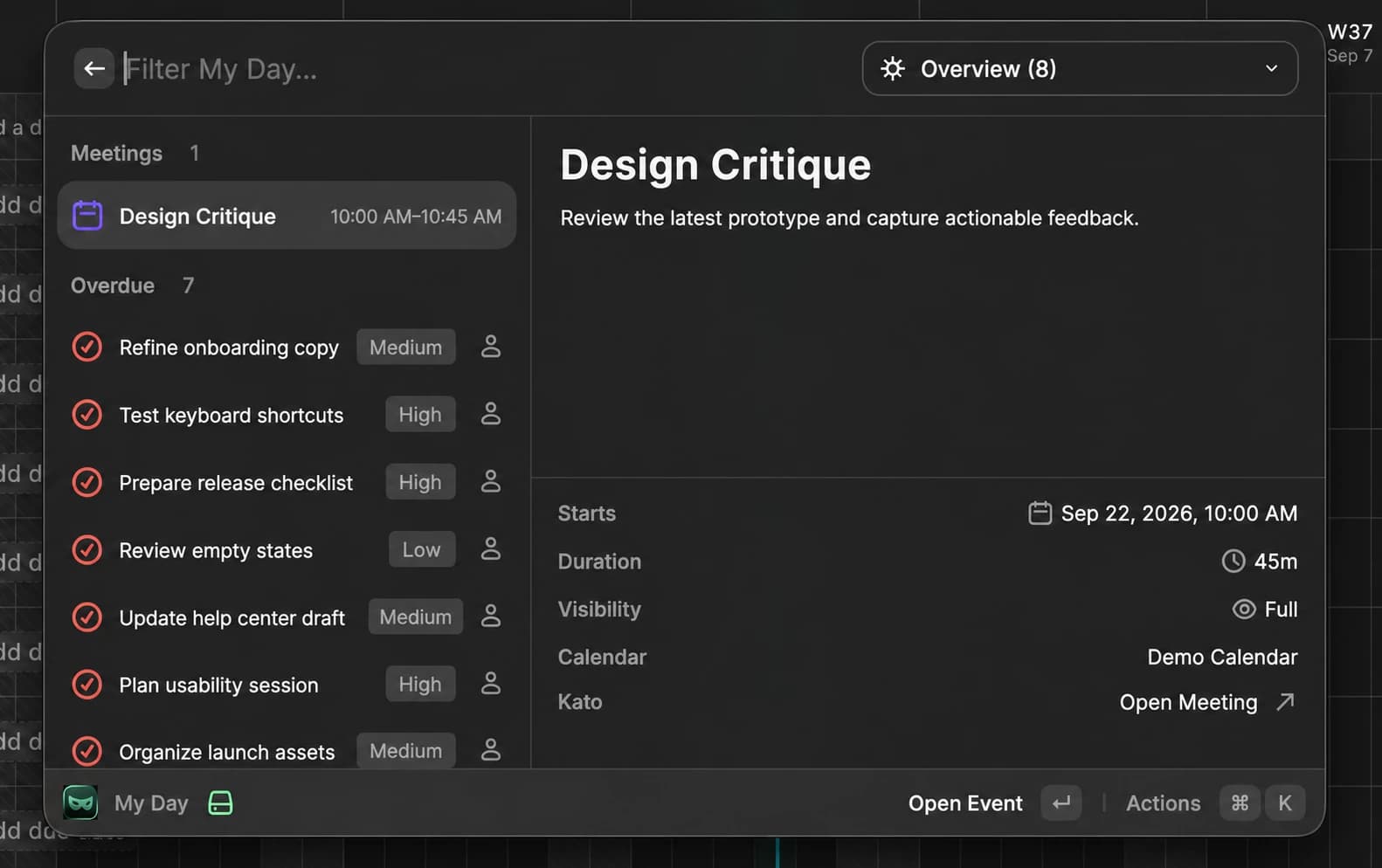
- 01Open My Day to see upcoming meetings, overdue work, tasks due today, and unread notifications in one view.
- 02Search tasks, records, and meetings or browse workspace objects using the same names, avatars, fields, and permissions as Kato.
- 03Create and edit tasks, link records and meetings, add comments, join calls, and switch workspaces without breaking your flow.
Start with what needs attention
My Day turns Kato into a focused daily command center. Current and upcoming meetings sit beside overdue tasks, work due today, and unread notifications, with a useful preview for whatever is selected.
The primary action follows the context: join the next call, open a task, mark work complete, comment, or continue in Kato when the full workspace is the right place to finish.
Capture and update work from anywhere
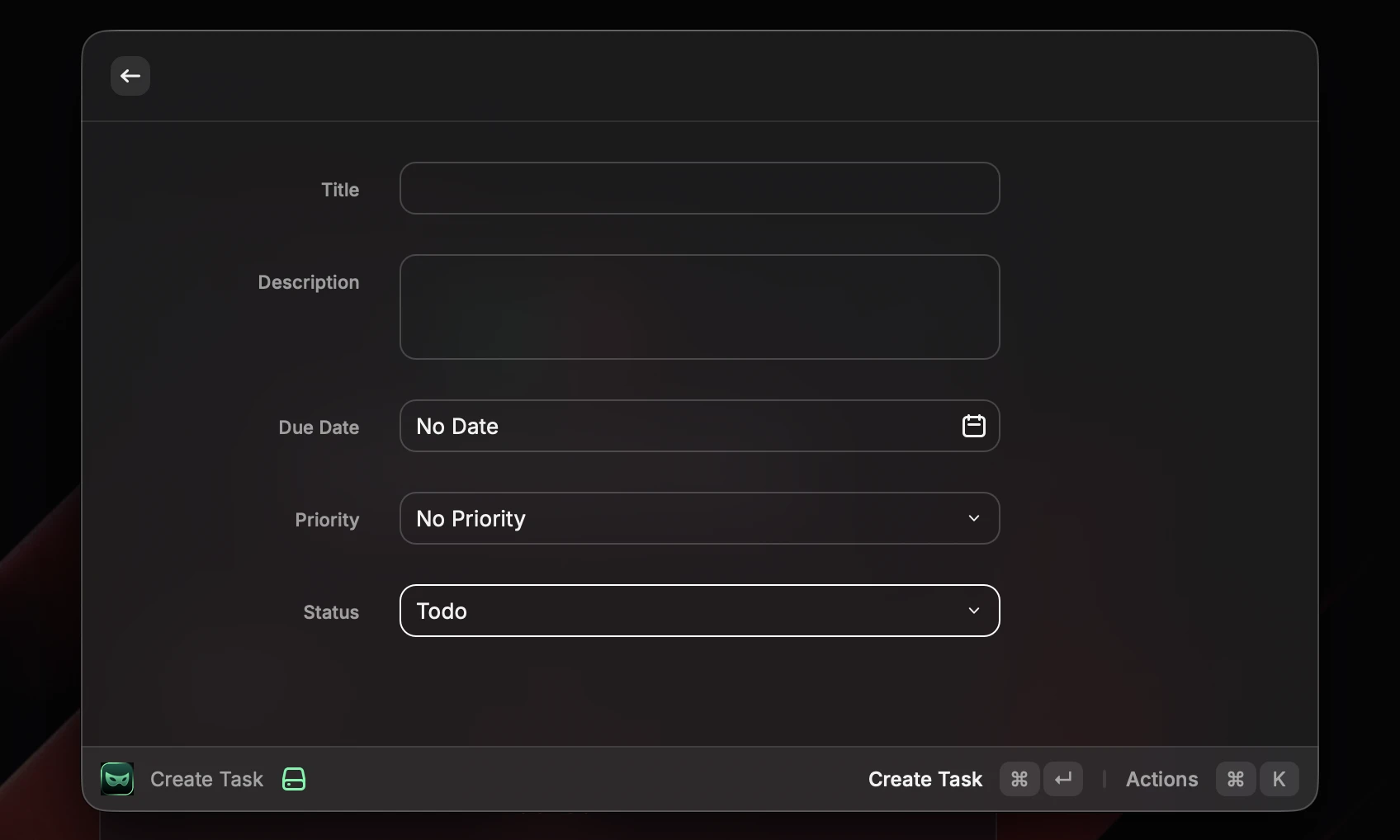
Create Task brings Kato's familiar task fields into Raycast, including status, priority, due date, estimate, assignees, section, linked records, and linked meetings. Record and member pickers use the same avatars and fallbacks as the web app, so the right person or project is easy to recognize.
Existing tasks can be opened for their details, comments, files, and activity. Quick actions handle common changes immediately, while the complete edit form is there when a task needs more context.
Search the workspace, then act
Search Workspace reaches across tasks, records, and meetings. Objects provides a cleaner route into every record type, preserving each object's color, icon, primary display name, and typed fields rather than flattening workspace data into generic search results.
From a result, open the full record, create a linked task, add an activity comment, copy a useful field, or jump into an upcoming meeting. Privacy rules for shared calendars and workspace permissions remain exactly where Kato enforces them.
A secure connection built for Raycast
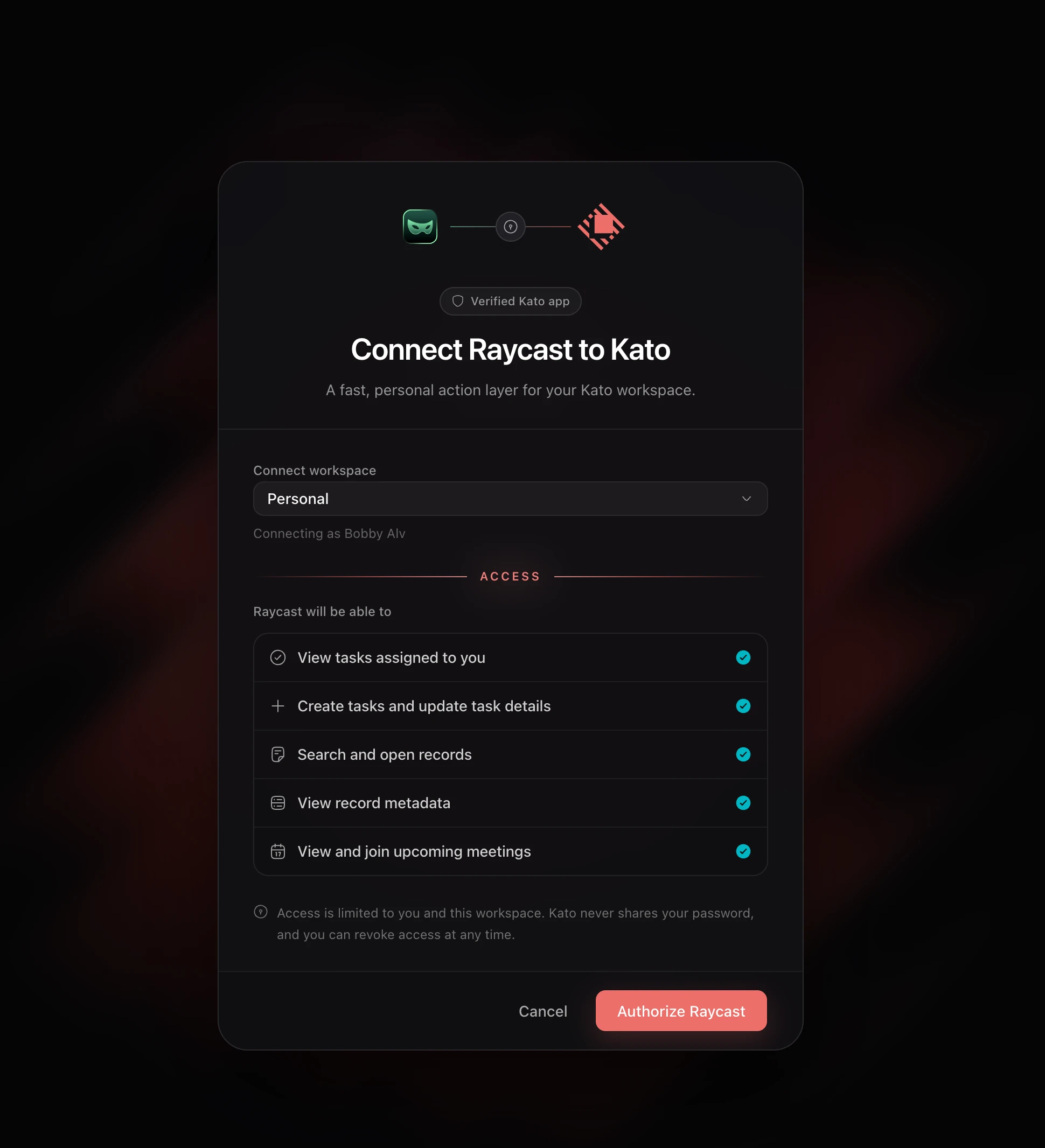
The extension uses OAuth with PKCE, so there is no API key to copy into Raycast. Sign in with Kato, choose a workspace, review the requested access, and return to Raycast already connected.
Access stays personal and workspace-specific. Current Workspace shows the active connection and provides a direct way to reconnect or switch workspaces while Kato continues to recheck membership, permissions, and workspace access on every request.
Inside the release
Kato for Raycast in action