Product news
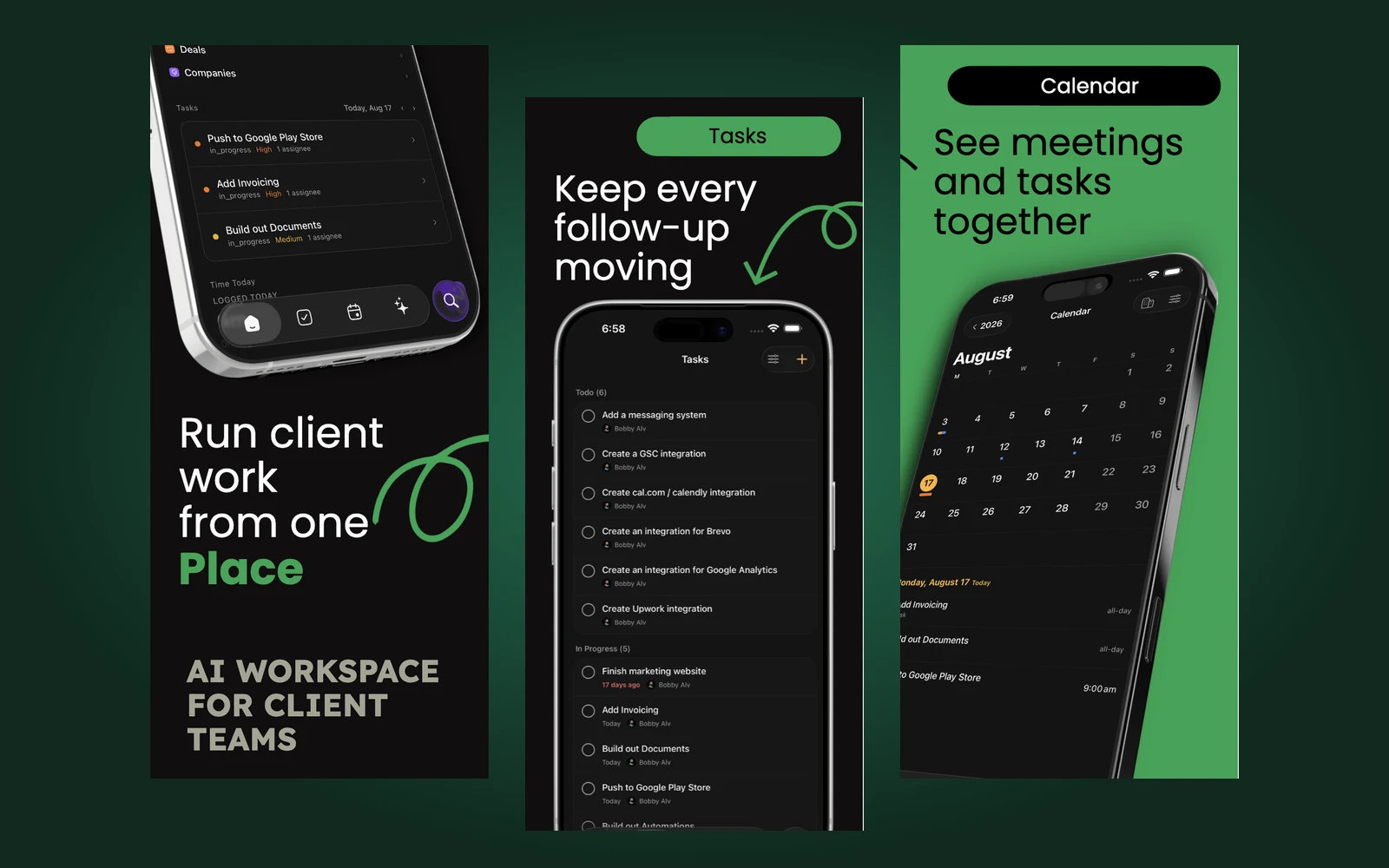
Kato for iOS is here
Your client workspace, wherever the day takes you. Meet Kato for iPhone and iPad, now available on the App Store.
Read the storyThe Kato blog
Product news and practical ways to keep client work connected. Explore how Kato brings tasks, meetings, client records, and AI into the same workspace, at your desk and on the go.
Product news
Your client workspace, wherever the day takes you. Meet Kato for iPhone and iPad, now available on the App Store.
Read the storyThe blog takes a closer look at new releases and the everyday work behind them: preparing for a client call, capturing a follow-up, and finding the context your team needs to move forward. Start with the latest story above, or explore these resources for a specific part of your workflow.
Working between meetings? Our iOS launch story walks through tasks, calendar, search, and Ask Kato on iPhone and iPad. Learn how to check assignments, see dated tasks alongside meetings, and find a client record from your phone. It also explains how to get started with an existing workspace or a new account.
Explore Kato for iOSWhen you need to get oriented before a call, start with the question you want answered. Ask Kato uses workspace context to help you understand overdue tasks, recent activity, and the next follow-up. Explore examples of questions you can ask and how connected records give the conversation useful context.
See how Ask Kato worksLooking for a particular improvement? The changelog records product changes so you can catch up on what has shipped. If you’re setting up your workspace, browse the integration directory to find the tools your team uses and read about connecting them to your client work.
Read the changelog Browse integrations